Easier product cleanup and a "New / Restocked" filter for shoppers
Square sync now removes deleted products for you, you can delete products yourself from Tangaza and Square in one step, shoppers get a "New / Restocked" filter, and orders stay on one pickup time.
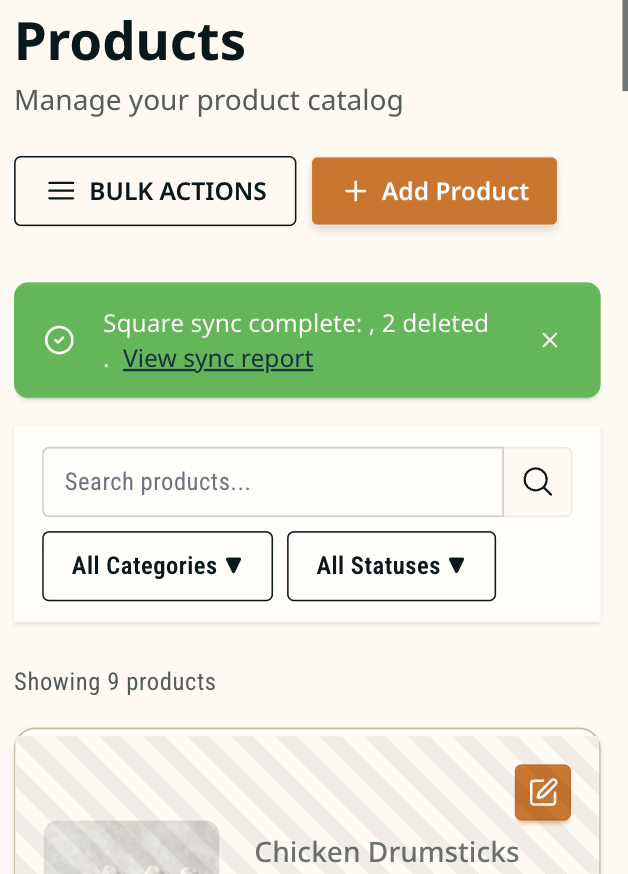
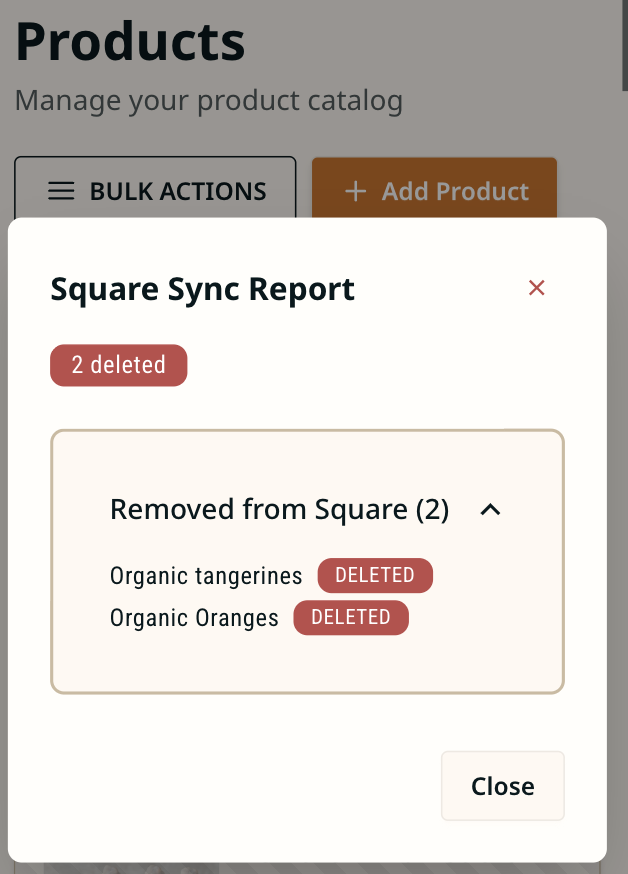
Square sync now does the cleanup for you. Remove a product in Square and it comes out of Tangaza on the next sync, with a report showing what was created, updated, and deleted. If a removed product still has orders, we disable it instead of deleting it, and you can switch it back on anytime. Re-enabling it recreates the product and its price options in Square.
You can also delete products yourself in Tangaza, which clears the matching item from your Square catalog in the same step. This only works for products with no orders.
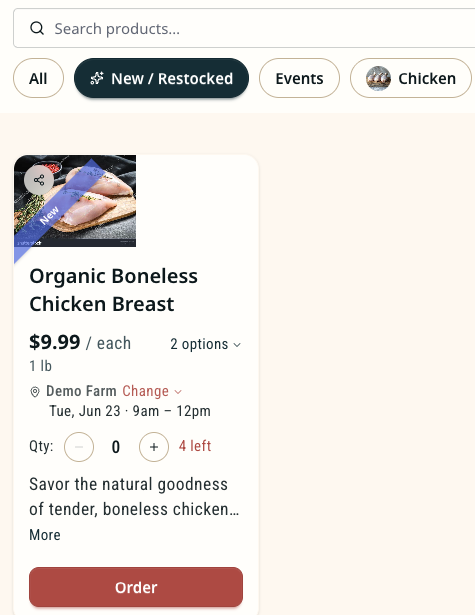
Shoppers get a new "New / Restocked" filter at the top of your store so they can tap straight to what just landed. Tangaza detects what is new or restocked automatically, and we are still fine-tuning it.
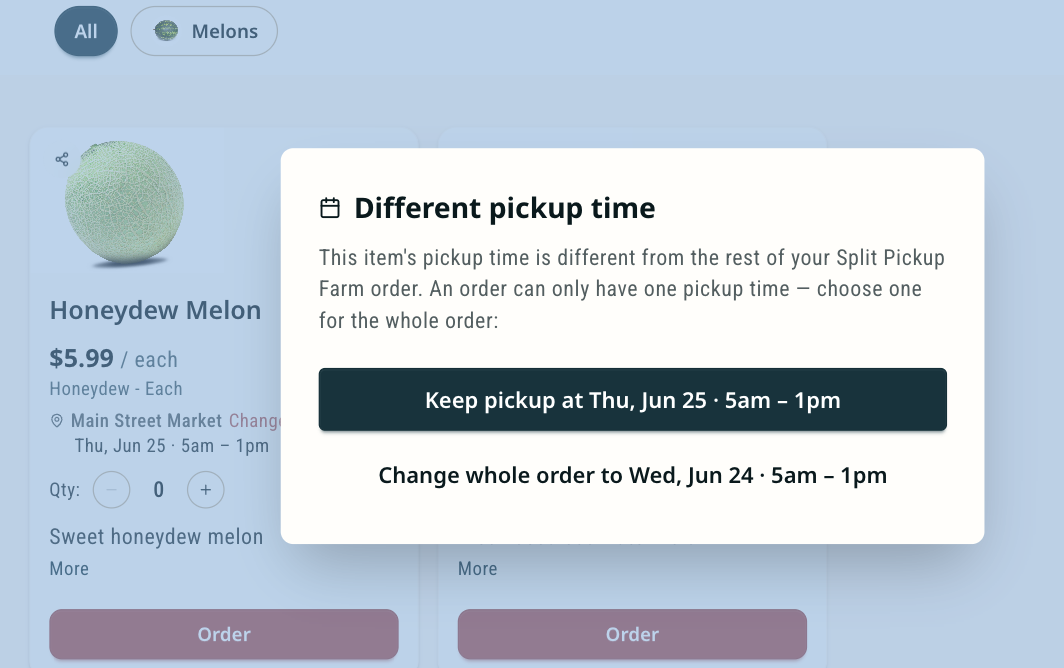
Orders now stay on a single pickup time. If a shopper picks a different time for one item, we prompt them to move the whole order onto one date, so it does not split across two days on your dashboard.
What changed
Square sync now cleans up removed products automatically
When you sync with Square, any product you've removed from your Square catalog is automatically removed from Tangaza too. Every sync ends with a sync report showing exactly what happened: how many products were created, updated, and deleted. If the deleted Square product contains orders, we do not delete it from Tangaza; instead, we disable the product so no one can buy from it. You can re-enable it, and Tangaza will automatically create the Square product and price options (Square variations) for you.
Safe product deletion
You can now delete products directly in Tangaza. When you do, it also removes the matching item from your Square catalog. To protect your records, you can only delete products from Tangaza that have no orders.
A "New / Restocked" catalog filter for your shoppers
Your storefront now has a "New / Restocked" filter catalog at the top of your farm store. With one tap, shoppers can jump straight to what's new in your store. Tangaza automatically detects what is new or restocked. We are still fine-tuning this algorithm.
Orders from your store now stay on one pickup time
When a shopper buys several items from your store, those items are grouped under a single pickup time. If a shopper tries to set a different pickup time for one item than the rest of their order, Tangaza displays a dialog prompting the shopper to update the pickup time for the entire order. This keeps each order on a single pickup date instead of splitting it across two days on your order dashboard.