Sign Up for Your Online Farm Store in 5 Minutes
Pick a plan, sign in, fill in your farm details. Live in 5 minutes. No developers included.

Most small farms are hesitant about starting an online store because they imagine a six-month website project: forms, designers, fonts, hosting bills. You don't need any of that to start.
Tangaza signup takes about five minutes.
1. Pick a plan
There are three pricing plans. The Starter plan is free forever and gets you a working storefront. The Standard plan is $39/month, or pay yearly for a 10% discount.
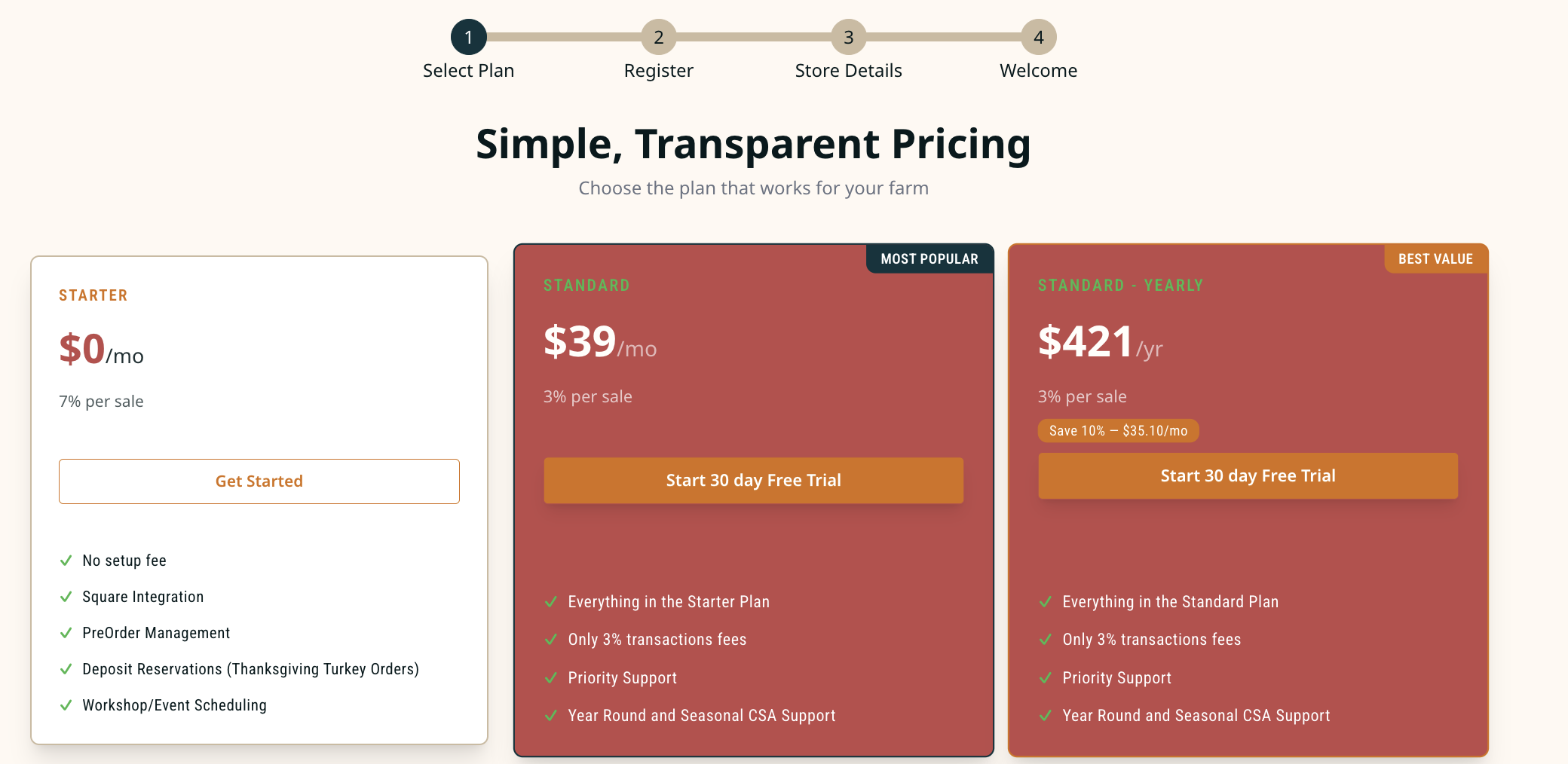
You can upgrade your free plan anytime you want from your dashboard.
2. Sign in
Two choices. Click Sign in with Google and you're in. Or type your email, get a magic link, and click the button inside it. Either way, no password to remember and no SMS code to wait for.
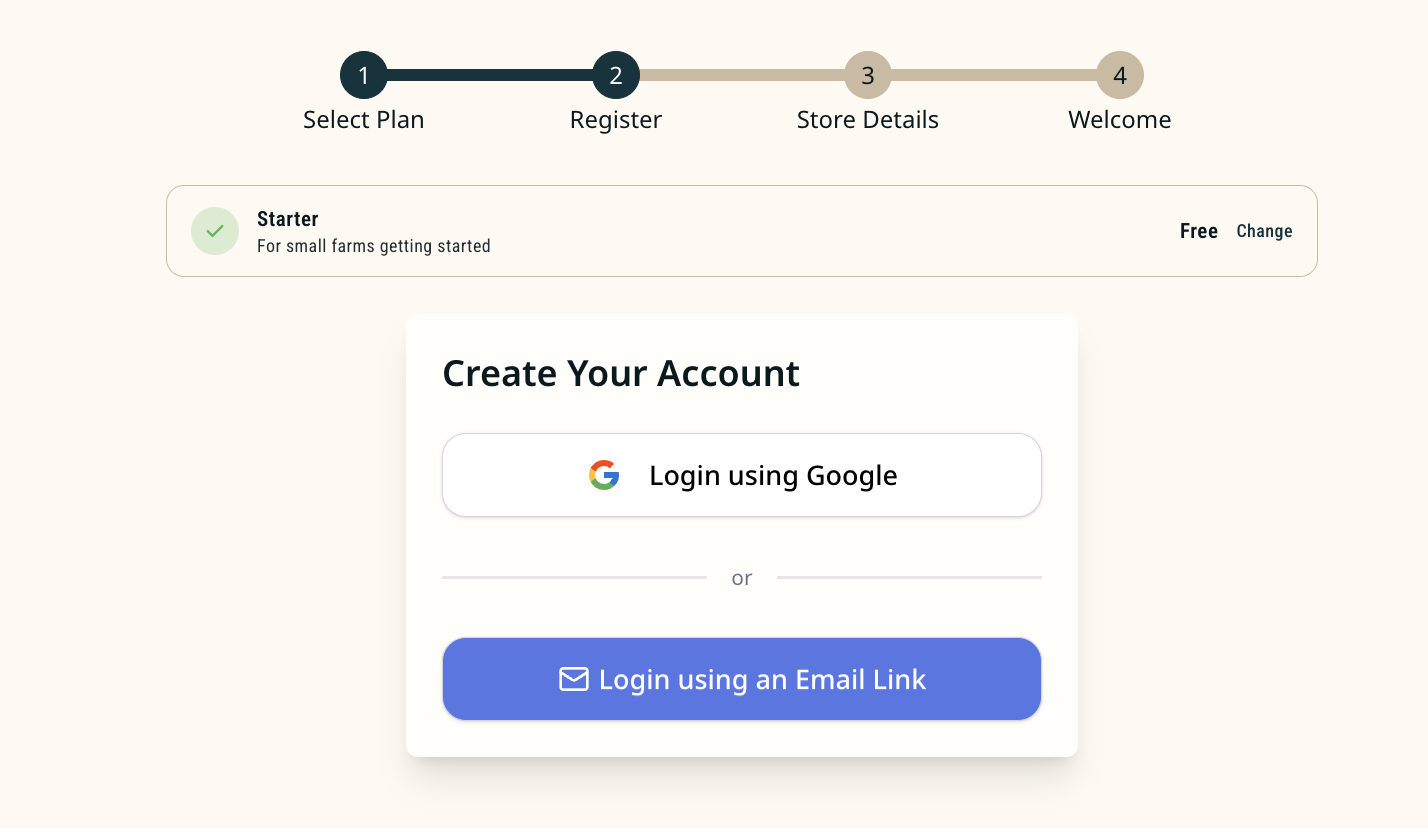
If you've never used a magic link before: it's just an email with a button that says "sign in." Tap the button on whatever device you opened the email on.
3. Tell us about your farm
Three required fields:
- Your name.
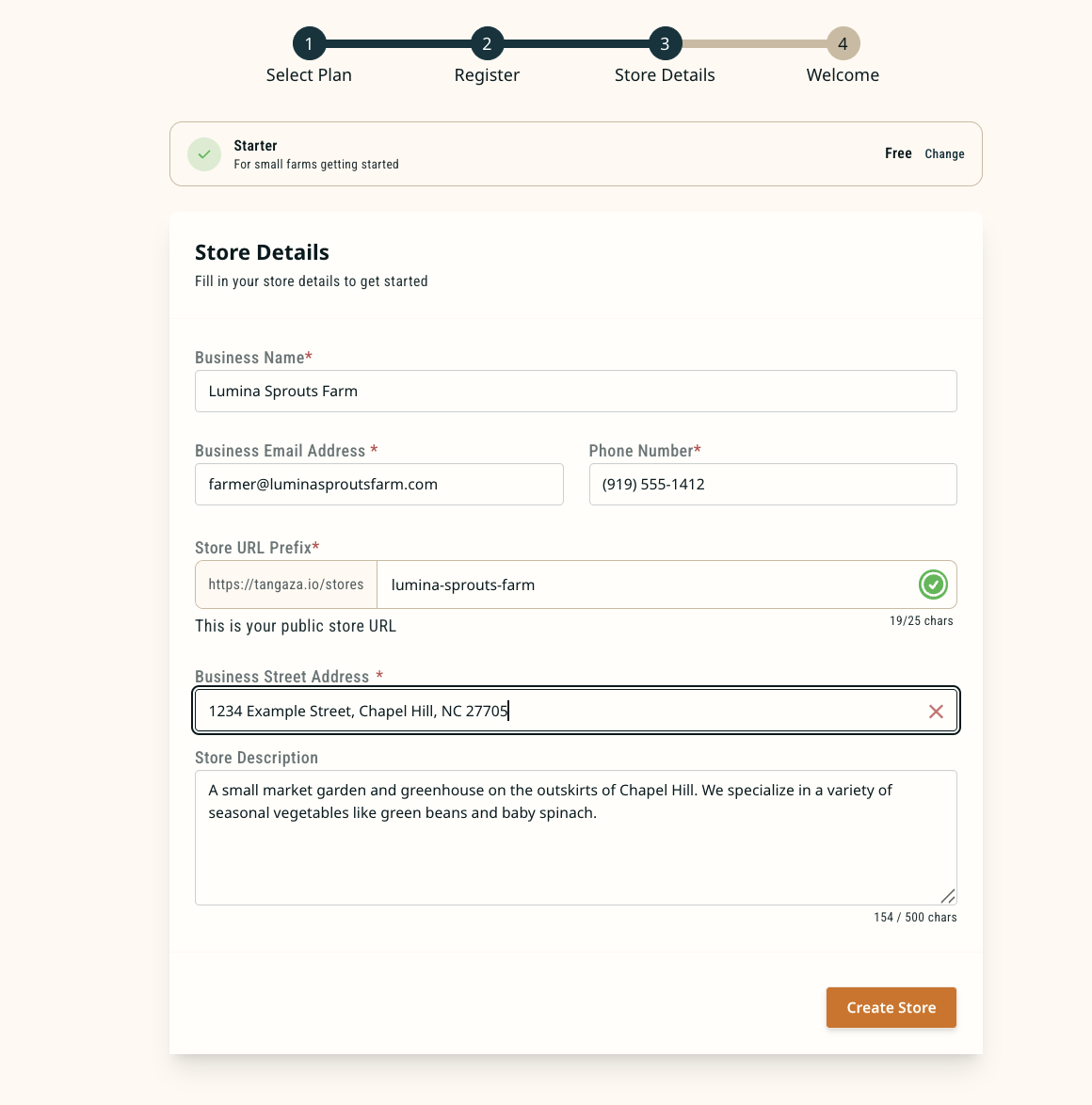
- Your shop name ("Lumina Sprouts Farm"). The store URL
(
tangaza.com/stores/lumina-sprouts-farm) auto-generates from this. Tangaza lets you know if your URL is available. If it's taken, change it to something else. - Your business address. Required, but you can hide it from your public storefront (some farmers do) and show just your service area instead.
Optional but worth doing while you're already there:
- A logo
- A one-paragraph description
- One social link
4. You're live
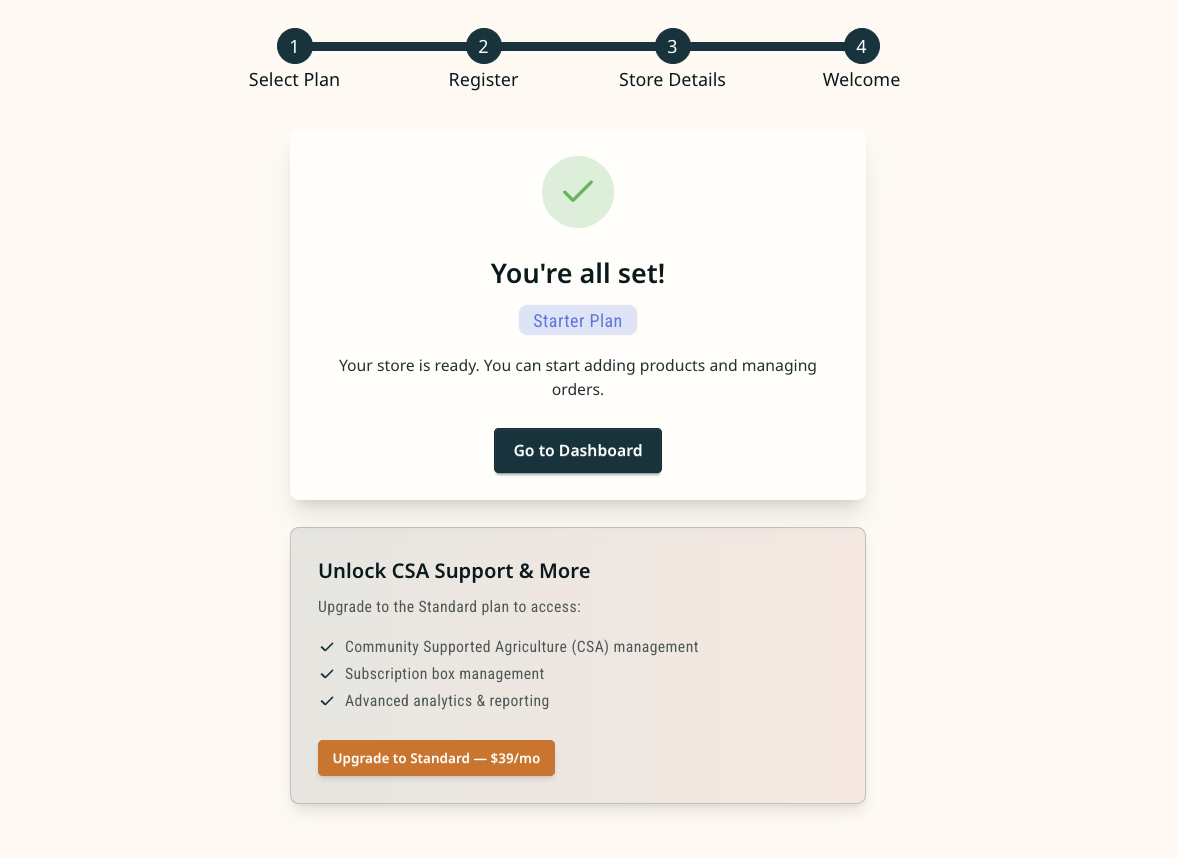
A welcome screen confirms the plan you picked and gives you a Go to Dashboard button. On the free plan, your account activates instantly, with an option to upgrade. On a paid plan, you complete a Stripe checkout first.
Once you're live, complete a simple 4-step setup and start taking orders.
Five minutes, no website to build - no app to install.
Tangaza
We build sales tools for small farms and write about what we learn from the people using them.